Rovo Studio Is About to Multiply Your Jira Configuration. Here's What That Means for Governance.
Atlassian has spent the last two years steadily turning Rovo Studio into something bigger than an agent builder making your configuration larger, more distributed, and more fluid.
Atlassian has spent the last two years steadily turning Rovo Studio into something bigger than an agent builder. As of its latest release, Studio is a unified, no-code workspace where anyone on your team can build agents, automations, and now custom apps, all from a plain-English prompt. The new experience is rolling out to sites automatically through 2026.
This is a genuine shift in how work gets done inside Atlassian. It is also a significant shift in who creates configuration, how fast, and how much. For anyone responsible for managing a Jira instance, this shift is the one to plan for now.
What Studio Makes Possible
It helps to be precise about the capability, because "no-code AI" gets used loosely. With Studio, anyone can create three kinds of things from a prompt:
- Agents. Configurable AI teammates that triage, summarize, route, and act on work. By default, anyone with Studio access can create these agents.
- Automations. Rules across Jira, Confluence, and JSM that can trigger agents and act on data. Creating an automation rule still requires space, app, or org admin rights.
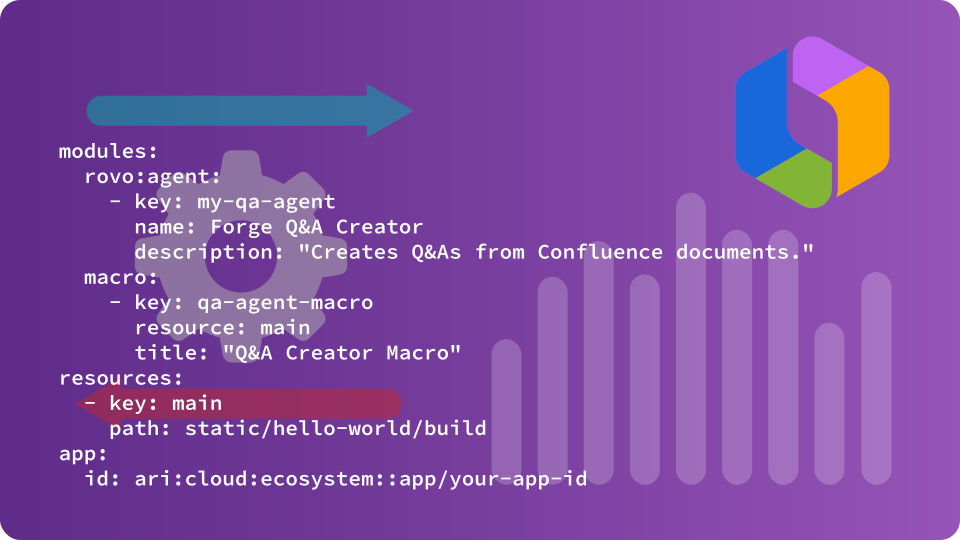
- Apps. This is the new one. Describe what you want, and Studio handles the rest by selecting the right Forge modules (like a Jira global page or Confluence macro), generating the interface, and wiring up backend functions, storage, and permissions. All without a terminal or an engineering hand-off.
The important thing to internalize: an app built this way is not a toy. It is a Forge app running on Atlassian's platform, installed into your products, with its own UI, data, and permissions. The barrier to creating one used to be a developer and a deployment pipeline. Now all it takes is a user and a text prompt.
The Real Story: Configuration is About to Scale
Every agent, automation, and app is configuration. It changes how your instance behaves, carries dependencies, and can break things downstream when it shifts or disappears.
For most of Jira's history, that configuration was created by a small, identifiable group: your admins. They were the bottleneck, and bottlenecks, for all their downsides, are easy to govern. You knew who could change things, roughly when, and where to look.
Studio removes the bottleneck on purpose. That is the entire value proposition, and it is a good one. But it means the volume of configuration in a typical instance is about to grow, the number of people creating it is about to grow, and the rate of change is about to grow, all at the same time.
When those three curves bend upward together, two disciplines that used to be optional for mid-sized Jira shops stop being optional and puts pressure on governance.
Pressure One: A Known Good Reference Point
When configuration was slow-moving and centrally owned, you could afford to treat your instance's history informally. If something broke, an admin probably remembered the change, or could reconstruct what it used to be from memory.
That assumption does not survive a world where agents, automations, and Forge apps are being created and modified across the org every week. An app that someone built and another person modified is now part of how a team works. If it breaks, gets deleted, or behaves differently after an edit, "ask the admin who remembers" is not a plan.
Organizations adopting Studio at scale need a reliable answer to a simple question: what did this look like before? When something changes, can you see precisely what it was? A trustworthy, point-in-time record of how your configuration is set up stops being a nice-to-have. It becomes the reference point everything else depends on.
Pressure Two: Change Management
The day to day challenges of managing configuration change are going to escalate.
More builders and more building means more changes, and most of those changes will be invisible by default. An agent's prompt gets edited. An automation gets disabled during a cleanup. A status or field that an app depends on gets modified. None of these throw an error. They surface days later as a broken dashboard, a stalled queue, or a report that is quietly wrong.
The old model assumed someone would notice. At Studio scale, no one can watch everything, and the changes that hurt most are exactly the ones that look harmless in a flat audit log. Change management has to move from "we'll catch it when someone complains" to "we know when something consequential changed, as it happens."
Solcoro Relieves the Pressure
This is the problem space Solcoro was built for, and two capabilities map directly to these two pressures.
Change Management Through Change History
Change History captures the full configuration state of your instance on a schedule you control, daily, weekly, or monthly. Every capture is a complete snapshot, so every previous state of your instance is preserved and comparable.
Because Solcoro holds those prior states and understands the configuration context of your instance, it does what an audit log cannot. It compares across time, distinguishes a consequential change from a cosmetic one, and surfaces the changes that matter rather than burying them in a list. When something drifts, the signal comes to you, in the channels you already work in, instead of waiting for you to log in and go looking.
That is change management built for the Studio era: a continuous record of what your instance looked like before, what it looks like now, and what changed in between, with proactive alerts on the changes worth your attention. It also gives you the historical states that any serious recovery conversation depends on, knowing the prior good configuration is the first step to restoring it.
Monitor Agentic Workflows Through Workflow Analysis
Studio makes it so easy to create a new category of configuration that most tooling is blind to them. Solcoro's Workflow Analysis is not. It identifies the agents operating in your workflows, captures their prompts, and alerts you when an agent or a prompt changes.
This matters precisely because agent behavior is governed by instructions that anyone can edit. A one-line prompt change can reroute work without altering a single visible element of the workflow. Workflow Analysis treats the prompt as what it is, configuration, and monitors it like the rest of your instance. Every agent, not just the ones you built yourself.
The Takeaway
Rovo Studio is going to make your teams faster and your instance more capable. It is also going to make your configuration larger, more distributed, and more fluid than it has ever been. That is not a reason to slow down adoption. It is a reason to put the right visibility in place so you can say yes to it with confidence.
Configuration that scales needs governance that scales with it. Solcoro captures the full state of your instance over time, tells you when something consequential changes, and keeps track of the agents now living in your workflows, so the part of your stack that is growing fastest is also the part you can see most clearly.